


-
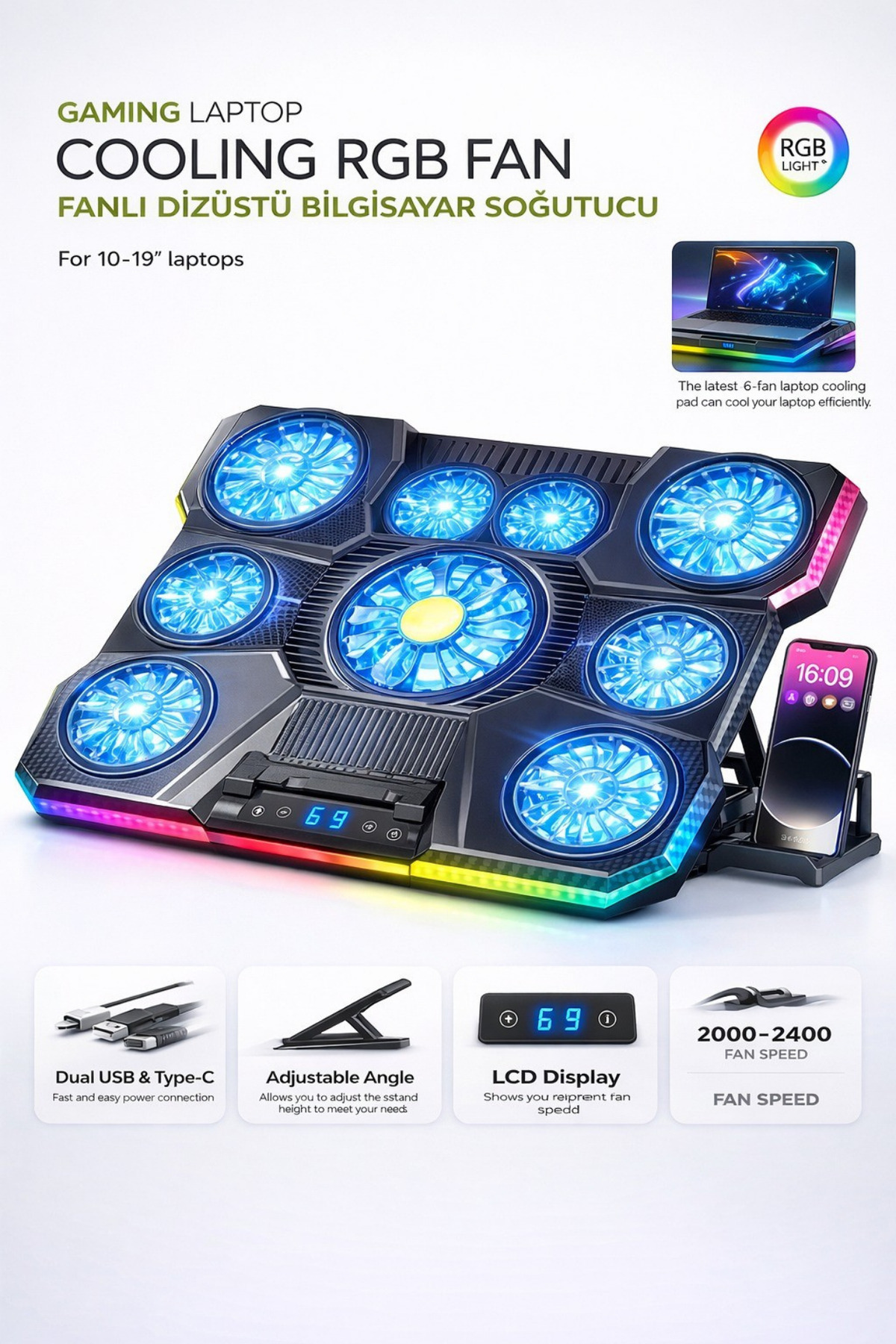
Powerful Cooling with 9 Fans: The system, which works with 9 high-speed fans, provides balanced air flow to every point of the laptop thanks to its 2400 RPM rotation power.
-
It prevents high temperature formation and ensures that system performance remains stable.
-
Supports the device to work without overheating in operations such as long-term gaming, graphic design or video editing.
-
It offers comfortable use with its quiet operation.
-
Widescreen Compatibility: Fully compatible with all laptop models from 13 "to 19" in size, offering versatile use.
-
Suitable for both everyday users and professional laptop owners.
-
Anti-slip surfaces that keep your device stable eliminate the risk of vibration and slippage.
-
It adapts to any environment with its portable and lightweight structure.
-
Maintains your tabletop layout.
-
Adjustable Height System: Protects neck, back and wrist health by bringing your screen to eye level thanks to 8 levels of height adjustment.
-
This feature, which increases your personal comfort, supports ergonomics in long-term work.
-
It offers the ideal position for both sitting and standing use.
-
Thanks to its robust support structure, the device stays still.
-
Ideal for office and home use.
-
Smart Control with LCD Display: The LCD display on the front surface clearly shows the current speed and operating status of the fans.
-
With the touch control panel, you can manage the fans as you wish and easily change the speed settings.
-
It is very simple and intuitive to use.
-
Provides clear vision even in dark environments.
-
Fully compatible with professional and practical control system.
-
RGB Light and Phone Holder: With 10 different RGB light effects, you can enliven your desktop environment and capture the style you want.
-
Adjustments can be made to your personal taste by switching between fixed or variable light modes.
-
Thanks to the phone stand on the side, your device is always in front of your eyes.
-
Accelerate your workflow by switching to multi-screen usage.
-
Place the product on a flat and stable surface, position your laptop correctly on the cooler.
-
, connect the USB cable to your laptop or power supply.
-
, Operate the device by pressing the Power button.
-
, adjust the fan speed on the LCD panel according to your needs.
-
, You can optionally activate the RGB lighting.
-
, Adjust the ergonomic angle setting for long-term use, Keep the product away from water, moisture and liquid contact, Be careful not to close the ventilation holes, Protect against hard impacts and falls, Do not force the USB connection, Do not allow children to use it alone, Make sure that the device is closed and disconnected during cleaning, Prevent foreign objects from entering the fan, Use only with appropriate voltage and power sources.
•
•
•
•
•
•
•
•
•
•

favorite
Favoritesaccount_circle
Sign Inshopping_bag
Cart Catalogue
