


-
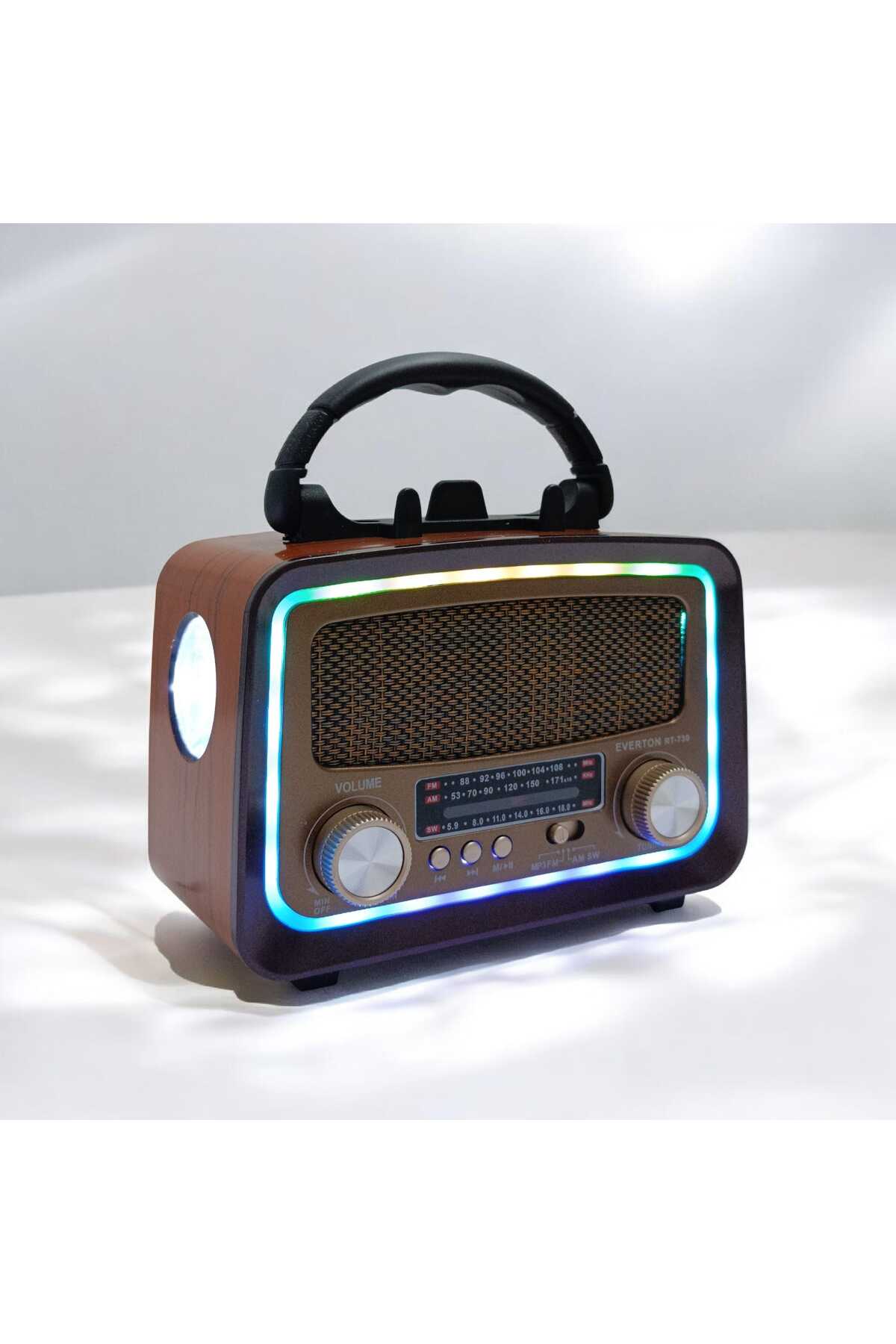
EVERTON RT-730 FEATURES 1- YOU CAN INSERT YOUR SD AND MMC CARDS INTO DIGITAL RADIO AND LISTEN TO YOUR DESIRED MUSIC. WITH DIGITAL RADIO, YOU CAN SET THE DESIRED MUSIC FROM YOUR MOBILE PHONE, MUSIC FROM YOUR MOBILE PHONE, NOTEBOOK AND DESKTOP COMPUTER AND LISTEN TO YOUR MOBILE PHONE. NOTE THAT YOUR MOBILE PHONE MUST BE COMPATIBLE WITH DIGITAL RADIO INPUT.
-
YOU CAN CONNECT THE DIGITAL RADIO TO THE COMPUTER WITH THE 2-3.5 MM INTERFACE CONNECTOR 3- THE DIGITAL RADIO HAS A VERY FUNCTIONAL CONTROL FEATURE, YOU CAN USE THE CONTROL WHEN YOU WANT 4- YOU CAN RELAX FOR AN AVERAGE OF 2 HOURS AFTER THE DIGITAL RADIO IS FULLY WRAPPED.
-
CHARGING time 3-5hours USER MANUAL RT-730 1. Music Playback: Turn the radio on (ON) and off(ON), the lights of the device will turn on.
-
After inserting your USB or SD card in MP3 format into the device, it will start to play automatically 2. Volume Control: You can adjust the volume of the device with the volume adjustment button.
-
button 3. Selecting Song: While the device is playing, press I >1 key to switch to the next song.
-
To stop the song, just press the >II key once.
-
If you want to continue playing the song, just press the same button once again.
-
If you want to listen to a song over and over again, press it.
-
If you want to exit the repeat mode, you need to press the same key again.
-
- Headset: While the device is working, you can plug the headset into the "Q" place and listen to it.
-
- Radio: With the device running, turn the knob to the radio position and remove the antenna.
-
- Lights of the Device: There are side lights on the side of the radio.
-
When you turn on the device, it will light up automatically.
-
You can also use these lights as flashlights.
-
- When the battery starts to run low, please plug the AC cable plug into the socket with a current of 220V, the device will start to charge itself.
-
FEATURES: 1. USB/SD player in MP3 format.
-
- External audio input 3. External audio output 4. Shrinkable battery.
-
- Cable 6. FM/SW1/SW2/AM 4 BAND RADIO
•
•
•
•
•
•
•
•
•
•

favorite
account_circle
shopping_bag
Cart Catalogue
