



-
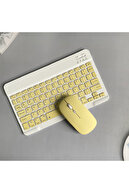
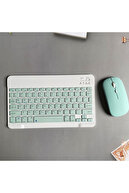
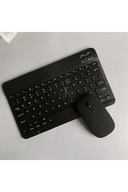
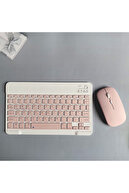
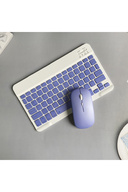
xiaomi huawei reader oppo samsung compatible bluetooth keyboard mouse set ios windows android compatible keyboard mouse set 220mah built-in battery- Rubber keyboard keys 1. Wide compatibility: Supporting Bluetooth (ios, android, mac os, and windows), iPads, iPhones, and bluetooth-enabled tablets, laptops, and ipads are compatible.
-
- Ultra-Slim, lightweight and portable: This lightweight bluetooth keyboard is designed for anyone who needs a portable featured keyboard for work or gaming and is especially suited for business trips.
-
- Rechargeable and automatic sleep mode: Universal wireless bluetooth keyboard uses built-in lithium battery, can be easily charged by usb cable, no need to replace the battery.
-
The built-in rechargeable battery is incredibly long-lasting.
-
- Stable connection: Advanced bluetooth technology provides a wireless connection with a working range of 10 meters.
-
However, for desktop computer laptop without bluetooth function, you need to install a third-party bluetooth adapter (not included) to install the bluetooth driver before use.
-
- Comfortable and quiet writing: Whisper-quiet, low-key keys bring a whole new level of comfort to your fingertips.
-
You can also assign all your most used functions and environment controls to shortcut keys dedicated to windows.
-
Keyboard connection method: 1: Turn on the on/off switch.
-
2: Press the link, the indicator of the bluetooth logo flashes.
-
3: Turn on the bluetooth key of the device, such as tablet/smartphone, search for the bluetooth device, the default bluetooth name of the keyboard: Bluetooth keyboard.
-
4: Click the bluetooth keyboard on the tablet/smartphone, press enter to connect.
-
Note: The keyboard cannot be connected to two devices at the same time.
-
Therefore, if you want to replace another device, you must first disconnect the pairing of the original device.1. Bluetooth mouse connection method: 1: Turn on the on/off switch to switch to Bluetooth.
-
2: Turn on the bluetooth key of the device, such as tablet/smartphone, and then call the bluetooth mouse.
-
3: Click the bluetooth mouse on the tablet/smartphone to connect to the device.
-
Note: The mouse cannot be connected to two devices at the same time.
-
Therefore, if you want to replace another device, you must first disconnect the pairing of the original device.
•
•
•
•
•
•
•
•
•
•

favorite
Favoritesaccount_circle
Sign Inshopping_bag
Cart Catalogue
