


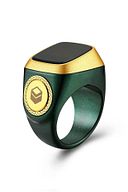
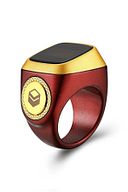
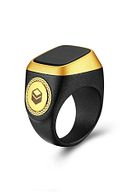
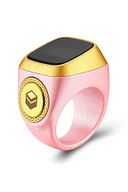
-
Product Features : Operating system: ANDROİD
-
Feature: APP Control, IP67 waterproof
-
Case Material: Resin
-
Function: Alarm Clock, 24-hour instruction, Calendar, Remote Control, Week, Month, Lighting
-
Product name: Digital Calling Clock Rosary Rosary Remembrance Ring
-
Keyword: Dhikr Ring Counter
-
Made in China
-
Style: Simple
-
Weight : 0.2kg
-
Ring Size: 18 mm
-
Box size: 4 X 7.5 X 7.5 cm
-
Rechargeable
-
To Connect the Dhikr Ring to Your Phone: Scan it with your smartphone by scanning the QR code on the right to download the Smart Qibla app required to connect your phone. Sign in to Google Play or the App Store. Register a new account and fill in your personal information by opening the app. Enter the device insertion interface and select "Dhikr Ring". Select the dhikr ring device via Bluetooth. Complete the process of tying the Dhikr Ring. To Disconnect the Dhikr Ring: Enter the interface of the device you want to disconnect. Click the device name at the top of the screen. Select disconnect. Enter the verification code to confirm the disconnection. Basic Functions : Bead Counter Bead Count: After the screen is turned on, perform the bead using the button. When the number is 33, 66, 99, 100, the Ring of Dhikr vibrates once. You can also adjust the vibration time in the app depending on your usage. Recount: Press and hold the button for 3 seconds, the Dhikr Ring restarts counting and saves the last rosary count record. Sync: Open the app, the Dhikr Ring automatically syncs the bead counting data to the app. Finding the Dhikr Ring: Click "find" in the app's device search interface, the dhikr Ring will vibrate for 10 seconds, to stop the vibration the ring
•
•
•
•
•
•
•
•
•
•

favorite
Favoritesaccount_circle
Sign Inshopping_bag
Cart Catalogue
